Everything CX Inbox can do
Explore every feature in detail
Connect your WhatsApp in minutes
Connect your WhatsApp number
Meta Embedded Signup walks you through it. You keep your same number. Connecting it takes about 5 minutes.
Set up your team and bot
Invite your team, define who handles what. If you want a bot, build the flows and connect your APIs.
Done, start serving
Messages land in the inbox and get assigned automatically. Your team sees who handles what, in real time.
Inbox, bot, campaigns, and analytics. One platform.
No tab-hopping, no app-switching, no extra vendors.
One inbox, whole team
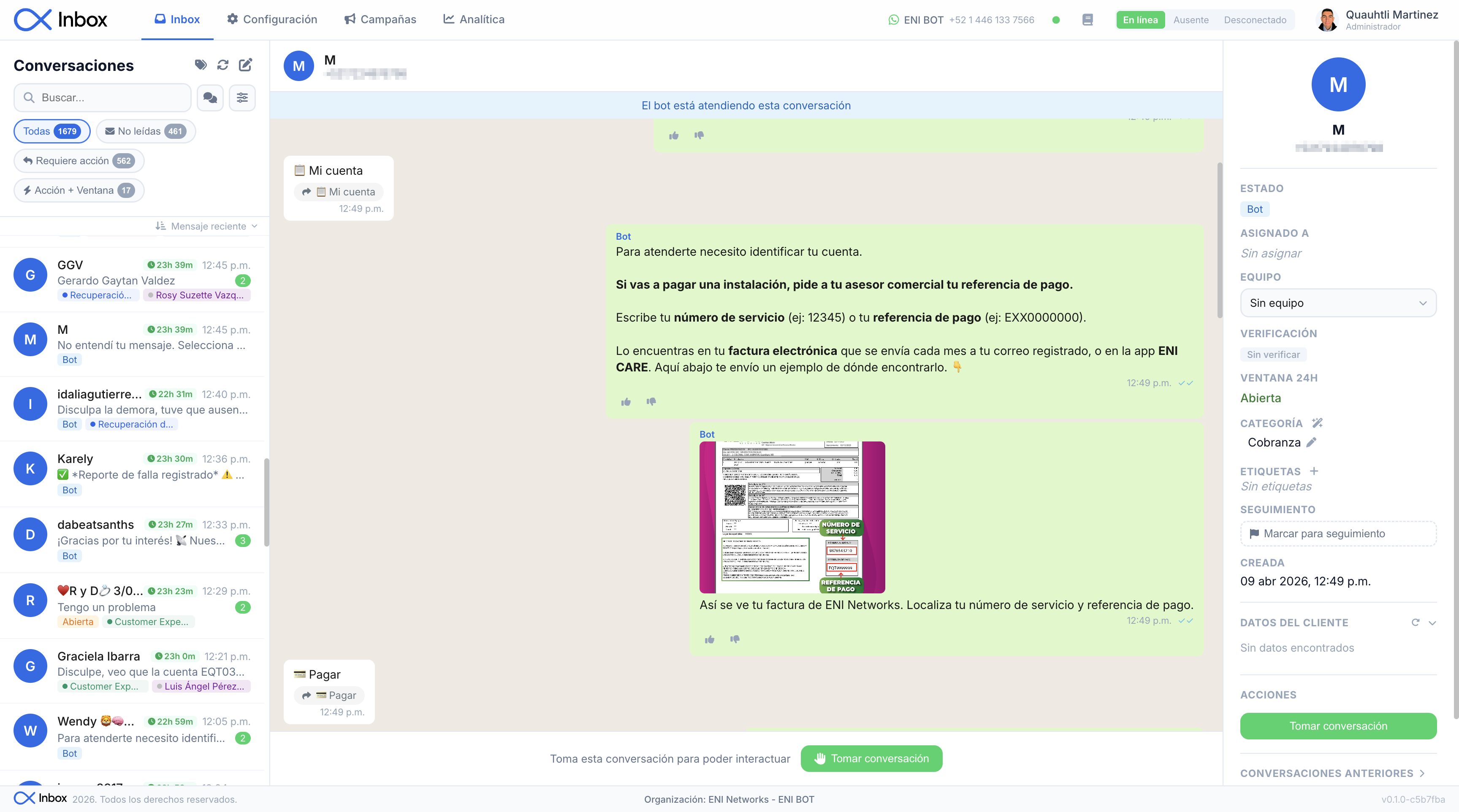
Every WhatsApp conversation on one screen. Messages reach whoever should handle them. Customers talk to your company, not someone's phone.
- Auto-assignment based on rules you set
- Filter by status, user, team, and tags
- WhatsApp 24h window handled automatically
- Quick replies with keyboard shortcuts
- Search any conversation or message
A bot that actually answers well
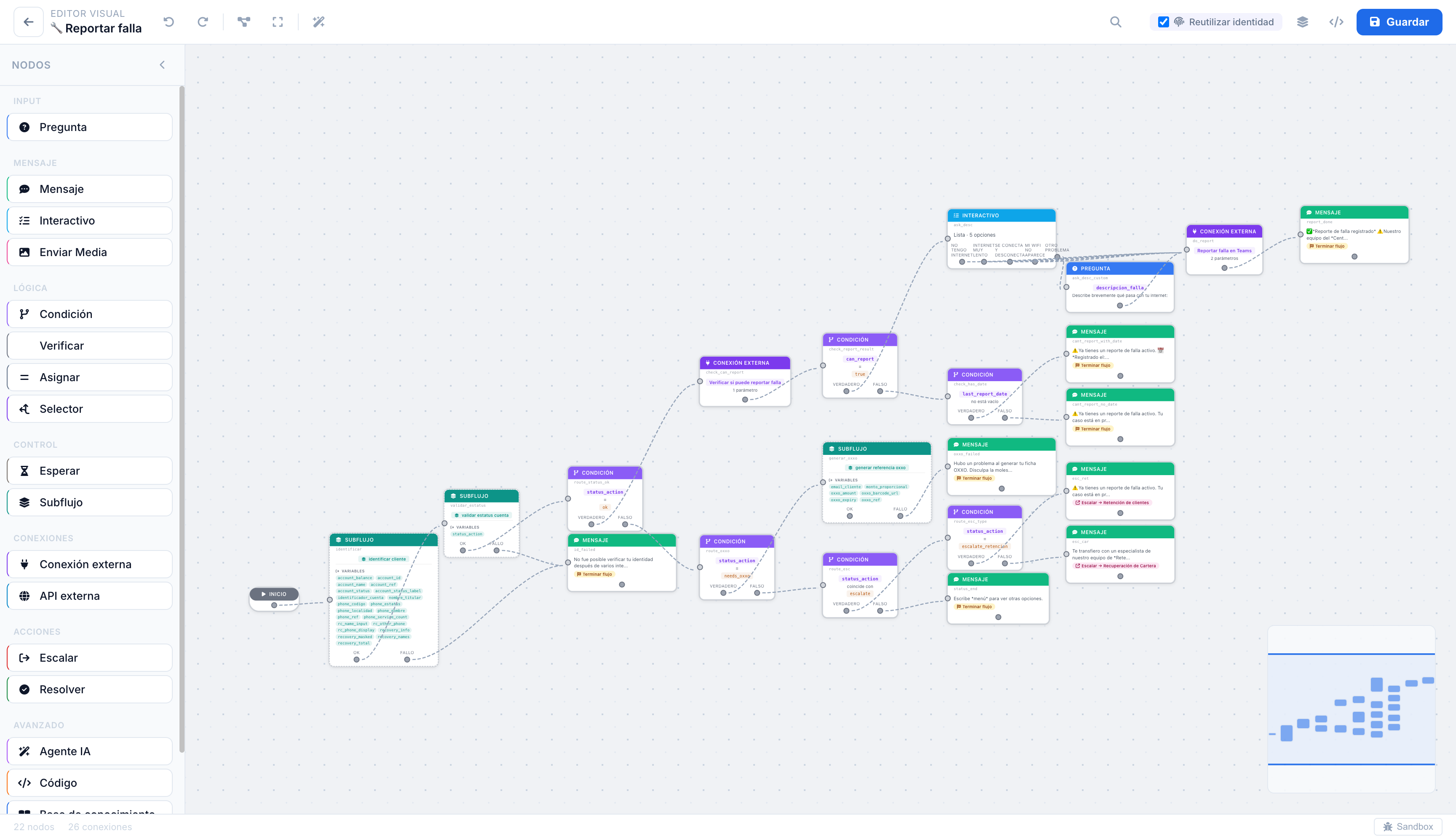
Build conversation flows without code. The bot checks your systems, answers with real data, and hands off to your team when needed, with context.
- Flow editor with steps, conditions and validations
- Connects to your APIs: CRM, ERP, billing
- Upload your docs and the bot answers from them
- When it escalates, it sends the agent a full summary
- Test in sandbox before going live
Bulk WhatsApp campaigns
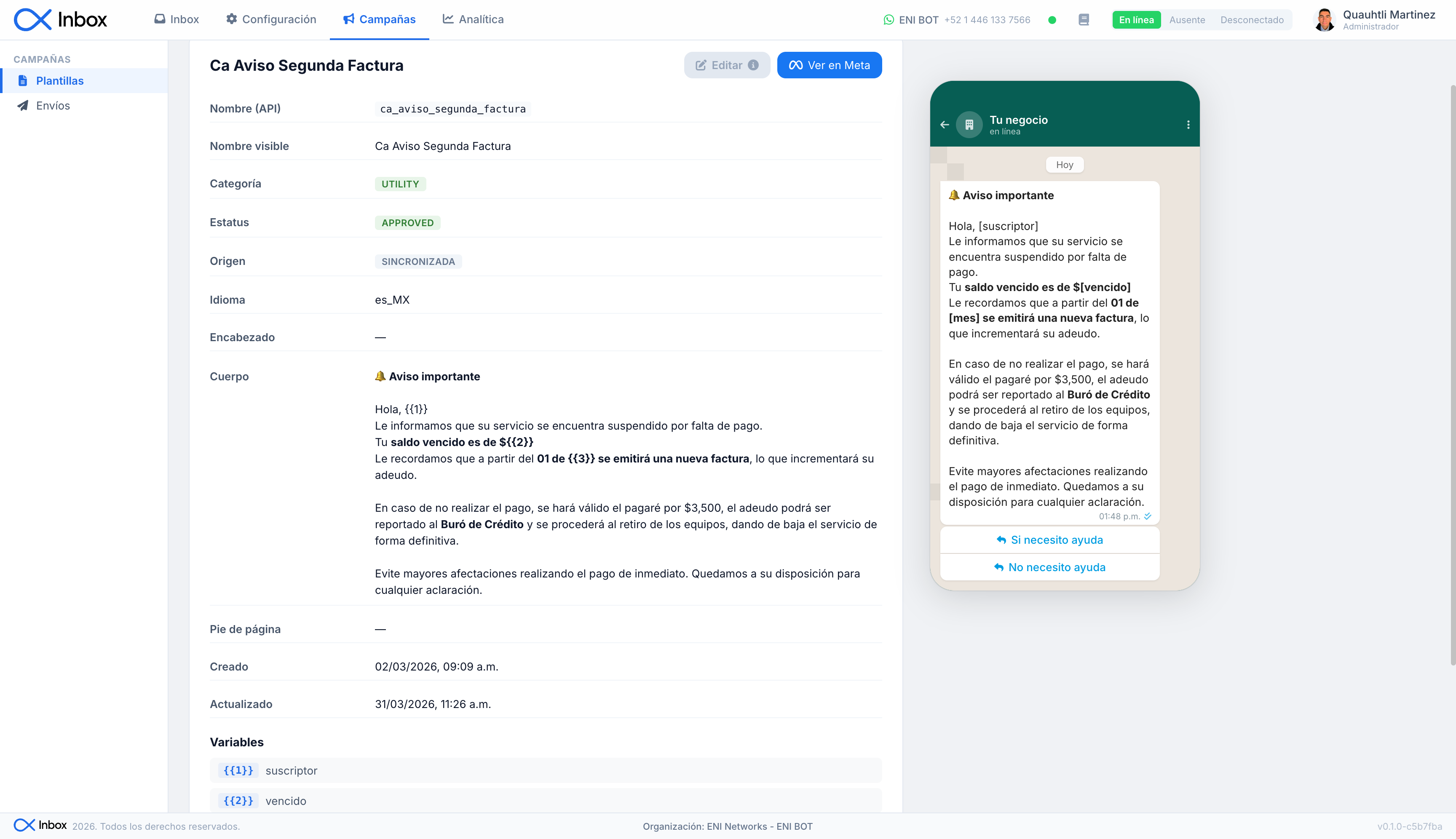
Upload your contact list, pick a Meta-approved template, and send. Replies land in your inbox.
- Create and preview templates in the app
- Import contacts via CSV with variables
- Track in real time: sent, delivered, read, failed
- Actual Meta costs down to the cent. Zero hidden markup
- Every reply becomes a conversation in your inbox
Numbers, not guesswork
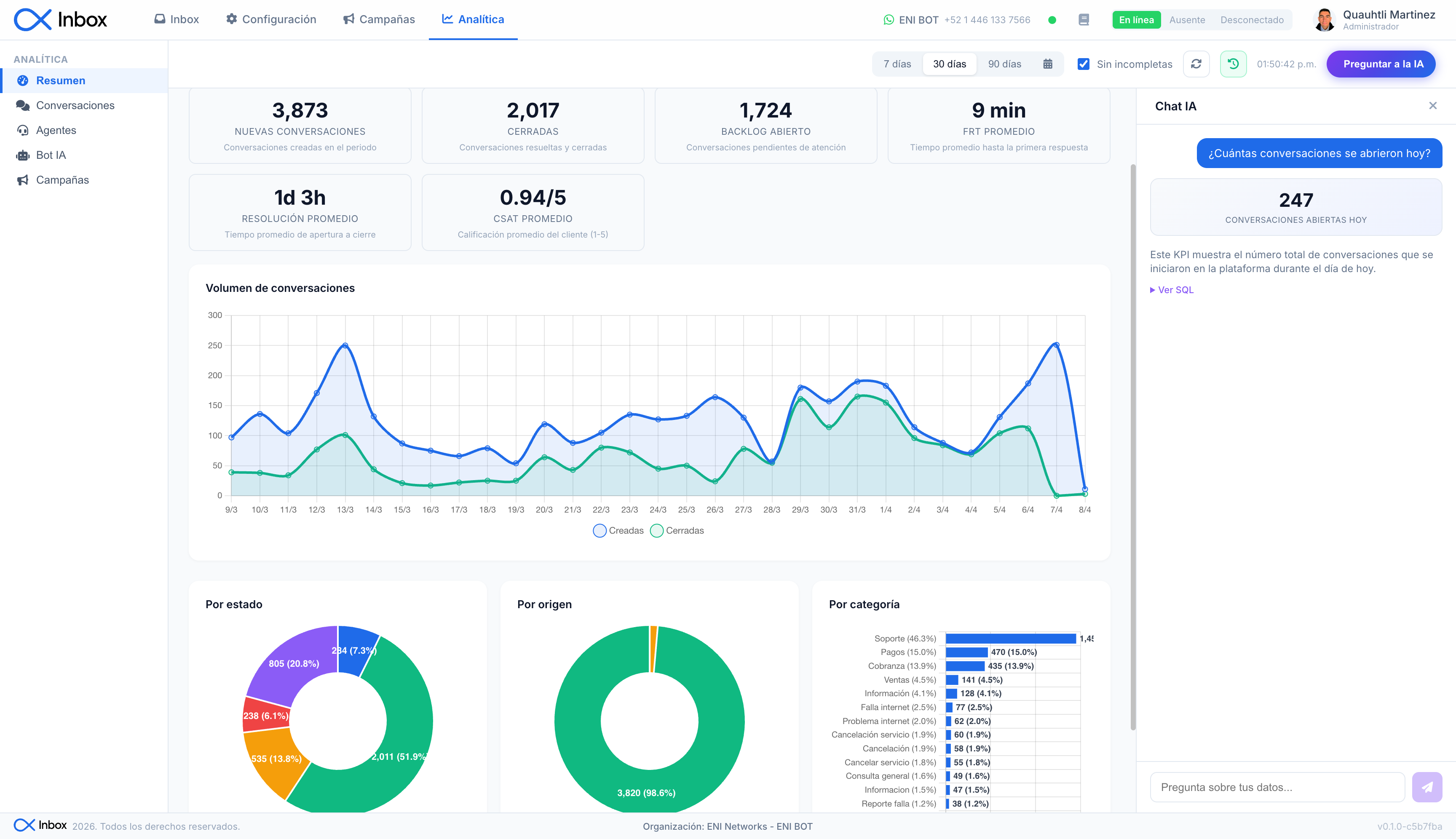
How fast your team responds. Who resolves the most. How the bot performs. What campaigns cost. One dashboard.
- First response time, resolution, satisfaction
- Performance by user
- What percentage the bot resolves and why it escalates
- Actual WhatsApp cost per campaign and template
- Export data and share reports with your team
With AI or without. You decide.
Start with deterministic flows. Add AI when you need it. Or don't.
Works without an API key. No per-message cost. It replies with the text you write and with data from your systems, not from AI.
Flow editor
Define steps, conditions, and validations. No code. The bot follows the flow as you designed it.
Queries to your systems
The bot calls your CRM, ERP, or billing system. Checks balances, generates payment references, reports issues. Real data, not made up answers.
Direct response
Balances, references, and receipts reach the customer exactly as your system returns them, without AI paraphrasing.
Bring your API key (BYOK) and the bot understands what the customer writes, searches your docs, and replies like a person.
Natural language
The customer types however they want. AI classifies the intent and extracts the data. No menus, no keywords.
Knowledge base
Upload your manuals, policies, or FAQs. When a customer asks, the bot searches your documents and answers from them.
AI protections
Word filters, retry limits, and data verification against your systems. When the bot can't resolve something, it hands the conversation to a person.
Many business lines, one bot
Flows and intents per business line (sales, support, collections) in a single bot, and teams with their own assignment rules.
Bring Your Own Key (BYOK)
Use your own API key. No markup, no intermediaries.








When your team takes the conversation
The bot handles the repetitive stuff. When a conversation reaches a person, it arrives with context and tools that make them faster.
How it works
AI-powered handoff summary
When the bot escalates, it generates a conversation summary. Your agent doesn't have to read 50 messages to understand what happened. They can edit it before responding.
Writing assistant
Like Gmail autocomplete, but for WhatsApp. The agent types and AI suggests how to finish. Tab to accept. Without leaving the chat.
Agent tools
Your team checks balances, order status, or CRM data right from the inbox. No tab switching, no copy-pasting between systems.
Quick replies
Predefined templates with keyboard shortcuts. For the replies your team already knows by heart. With variables and multimedia.

