- ecommerce
- whatsapp business
- sales
- conversational commerce
WhatsApp for ecommerce: how to turn conversations into sales
A practical guide to using WhatsApp Business as a sales channel: product discovery, cart recovery, order updates, and post-sale support at scale.

Contents
In 2025, WhatsApp crossed 3 billion monthly active users globally. In markets like India, Brazil, Indonesia, and across the Middle East and Africa, it is the default communication channel. Not just for personal messages. For commerce. Customers ask about products, negotiate prices, place orders, and request support, all within the same WhatsApp thread.
This is conversational commerce, and it is growing faster than traditional ecommerce in many emerging markets. McKinsey estimates that conversational commerce will be a $290 billion market by 2027, driven largely by WhatsApp and similar messaging platforms in Asia and Latin America.
If you sell products or services and your customers use WhatsApp, you already have a sales channel. The question is whether you are running it like a channel or like an afterthought. This guide covers how to structure WhatsApp as a serious sales operation: the workflows that matter, the tech you need, and the metrics to track.
Table of contents
- Why WhatsApp works as a sales channel
- Five sales workflows you need
- Cart abandonment recovery
- Product discovery and pre-sale
- Order confirmation and shipping updates
- Post-sale support that drives repeat purchases
- Win-back campaigns for inactive customers
- Building the team and process
- Metrics that matter
- FAQ
Why WhatsApp works as a sales channel
Email marketing has open rates of 20-25% on a good day. SMS gets opened but feels invasive and one-directional. Live chat on your website works only when the customer is on your site. Social media DMs are fragmented across platforms.
WhatsApp sits in a unique position:
97%+ open rates for business messages. Not because people love marketing messages, but because WhatsApp is where they already are, all day. A business message sits in the same inbox as messages from friends and family.
Two-way by default. Unlike email or SMS, WhatsApp conversations are naturally bidirectional. The customer can reply, ask follow-up questions, send photos, negotiate. This is how people actually buy: through dialogue, not through one-way broadcasts.
Trust signal. A verified WhatsApp Business account with a green checkmark signals legitimacy in markets where scams are common. Customers feel safer interacting with a verified business on WhatsApp than filling out a form on an unknown website.
Low friction. No app to download. No account to create. No password to remember. The customer already has WhatsApp. They tap “Message” on your ad or website, and they are in a conversation. The barrier to first contact is nearly zero.
The challenge is that what works at 10 conversations per day breaks at 100. A single salesperson responding from their personal phone does not scale. You need structure, automation, and team tools without losing the personal feel that makes WhatsApp effective.
Five sales workflows you need
If WhatsApp is a sales channel for your business, there are five moments where you either close the deal or lose it. Each has a workflow you can systematize:
- Product discovery (turning interest into a purchase decision)
- Cart recovery (rescuing abandoned purchases)
- Order confirmation (eliminating post-purchase anxiety)
- Shipping and delivery updates (preventing “where’s my order?” queries)
- Win-back campaigns (reactivating dormant customers)
Cart abandonment recovery
The global average cart abandonment rate is 70-80%. That is revenue left on the table. Email-based recovery campaigns have open rates of 40-45% and conversion rates of 5-10%. WhatsApp recovery messages have open rates of 95%+ and conversion rates of 15-35%, depending on timing and offer.
The workflow:
- Your ecommerce platform detects an abandoned cart (Shopify, WooCommerce, Magento, custom)
- After a configurable delay (1-3 hours works best), a webhook triggers a WhatsApp template message
- The message includes the specific product left behind, an image, and a direct link to complete the purchase
- Optionally, include an incentive (free shipping, 10% off, limited stock warning)
What separates effective recovery from spam is timing and specificity. A generic “You left something in your cart!” 24 hours later performs poorly. A message showing the exact product with an image, sent 2 hours after abandonment, with a one-tap link to a pre-filled checkout, performs 3-4x better.
Important: you can only send these messages if the customer has opted in to receive WhatsApp communications from you (Meta requires this) and you use a pre-approved message template. Plan for this opt-in during checkout or account creation.
Product discovery and pre-sale
The first message from a potential customer is almost always a product question. “Do you have this in medium?”, “What’s the price for the Pro plan?”, “Do you ship to Germany?”
Response time here directly correlates with conversion. Data from multiple studies shows that responding within 5 minutes makes you 21x more likely to qualify a lead compared to responding after 30 minutes. On WhatsApp, where the expectation of instant messaging sets even higher standards, you have perhaps 2-3 minutes before the customer moves on.
Two strategies that work together:
WhatsApp product catalogs: WhatsApp Business supports native product catalogs with images, descriptions, and prices. Customers browse within the app without visiting your website. Not as feature-rich as a full ecommerce site, but eliminates friction for simple product discovery.
Canned responses by category: Your sales team has pre-written responses for each product line covering the most common questions (pricing, availability, specs, shipping times). Instead of typing from scratch each time, they select and send with one click, personalizing if needed.
For high-volume operations (50+ product inquiries per day), a bot can handle the first interaction: identify which product the customer asks about, share basic info (price, availability, specs), and only escalate to a human salesperson when the customer signals purchase intent. This way your humans focus on closing rather than informing.
Order confirmation and shipping updates
Post-purchase anxiety is real. “Did my payment go through?”, “Has it shipped?”, “When will it arrive?” Every one of these queries hitting your support team is time that could be automated.
A proactive notification flow:
- Immediate order confirmation with order number and summary
- Payment verification notification
- Shipment notification with tracking number when the package leaves your warehouse
- In-transit update when the package arrives in the customer’s city
- Delivery confirmation request after estimated delivery date
All of this can be automated with WhatsApp template messages triggered by webhooks from your order management system. The customer receives proactive updates without asking. According to Shopify data, merchants who implement WhatsApp shipping notifications see 60-70% fewer “where’s my order?” support tickets.
The added benefit: each of these touchpoints is an opportunity to build relationship. A delivery confirmation message can include a link to leave a review, or a personalized product recommendation based on what they bought.
Post-sale support that drives repeat purchases
Research from the Harvard Business Review found something counterintuitive: customers who experienced a problem that was resolved quickly have higher loyalty than customers who never had a problem. This is the service recovery paradox, and WhatsApp is the perfect channel to exploit it.
WhatsApp works for post-sale because:
- The customer already has your number saved (no searching for contact info)
- They can send photos of a defective product directly in the chat
- The conversation history serves as documentation (no “but they told me that…”)
- Resolution can be instant (compensation coupon, replacement shipment confirmation)
The post-sale flow: customer reports issue, agent verifies order, offers solution (exchange, refund, discount on next purchase), executes the action, and follows up 2-3 days later to confirm satisfaction.
What turns post-sale into repeat purchase: a personalized recommendation message 15-30 days after the purchase. “Hi Sarah, how’s the running jacket working out? We just got the matching pants in stock. Here’s your exclusive early access link.” This isn’t spam if it’s genuinely relevant to what they bought.
Win-back campaigns for inactive customers
A customer who bought once but hasn’t returned in 60-90 days is going cold. A WhatsApp win-back campaign can reactivate 8-15% of dormant customers, depending on the offer and how well you segment.
The structure:
- Segment customers by last purchase date (30, 60, 90 days inactive)
- Create a Meta-approved template with a relevant offer
- Send the campaign to a specific segment
- Those who respond enter a sales flow (bot or human agent)
The biggest mistake: sending the same generic offer to everyone. A customer who bought baby clothes doesn’t want electronics deals. Segmentation and personalization make the difference between a 3% and a 15% response rate.
Meta’s rules on proactive messaging: you can only send outbound messages using approved templates. Marketing templates cost more per conversation than utility or service templates. Keep your quality score high by targeting only customers who opted in and giving them an easy way to opt out.
Building the team and process
A common failure mode is treating WhatsApp as a channel that “runs itself.” Even with automation, you need people and processes:
Dedicated sales agents (not the same team that handles support). Selling through WhatsApp requires different skills: urgency, closing ability, product knowledge, the ability to read buying signals in text. If your salesperson is also handling complaints, neither job gets done well.
Shared inbox. If you have more than one salesperson on WhatsApp, they need a shared inbox where conversations are assigned, history is visible, and nobody steps on each other’s responses. A single WhatsApp number managed from one personal phone does not scale past 2-3 people.
Routing and assignment rules. Who handles Saturday inquiries? What happens to after-hours messages? How are conversations distributed fairly across the team? Without clear rules, conversations get dropped or duplicated.
Per-agent metrics. First response time, conversion rate (inquiries that became sales), average order value by agent. Without this you cannot tell who is performing and who needs coaching.
CX Inbox provides all of this: shared inbox for multiple agents on one number, automatic assignment by team, per-agent analytics, and bulk campaigns with approved templates. The channel scales without losing the personal attention that makes WhatsApp sales effective.
Metrics that matter
If you run WhatsApp as a sales channel, track these weekly:
- First response time (target: under 5 minutes during business hours)
- Inquiry-to-sale conversion rate (benchmark: 15-30% for ecommerce products)
- Cart recovery rate: recovered / recovery messages sent (benchmark: 15-25%)
- Average order value by channel (compare WhatsApp vs website vs other channels)
- 90-day repeat purchase rate for WhatsApp-acquired customers
- Cost per conversation (Meta fees + platform cost divided by conversions)
- Revenue per conversation (total WhatsApp-attributed revenue / total conversations)
If your conversion rate is below 15%, the problem is usually response time or agent quality, not the channel itself. If first response time exceeds 5 minutes, fix that before optimizing anything else. Speed is the single biggest lever in conversational commerce.
FAQ
Does WhatsApp work for high-ticket products?
Yes, often better than for low-ticket items. For products over $200, customers need to resolve questions before committing that amount. Real estate, furniture, electronics, professional services, B2B products: all benefit from pre-purchase conversation. The higher the price, the more the customer values being able to ask questions and get immediate, personalized answers.
Do I need WhatsApp Business API or can I sell with the free app?
You can sell with the free app if you are a solo operator or a team of two handling fewer than 20 conversations per day. But if you have a sales team (3+ people), you need the API with a shared inbox platform. The free app does not support multiple agents on one number, has no analytics, and cannot connect to your ecommerce platform for automated order confirmations or cart recovery.
What conversion rates can I expect from WhatsApp compared to my website?
WhatsApp typically converts 2-5x higher than a website for the same product because the conversation removes friction and builds trust. Website conversion rates for ecommerce average 2-3%. WhatsApp inquiry-to-sale rates average 15-30%. The tradeoff is that WhatsApp requires more human (or bot) effort per conversion, so it works best for products with margins that justify the interaction cost.
How do I avoid getting my number blocked by Meta for bulk messaging?
Meta monitors your number’s quality score based on customer responses. If too many recipients report you as spam or block your number, Meta reduces your sending limit or suspends your account. Three rules: (1) only message people who explicitly opted in to receive WhatsApp communications from you, (2) always provide an easy way to stop receiving messages, (3) limit campaigns to 2-3 per week per contact maximum. Quality over quantity. Start with small segments and scale up as your quality score remains high.
Related articles
-
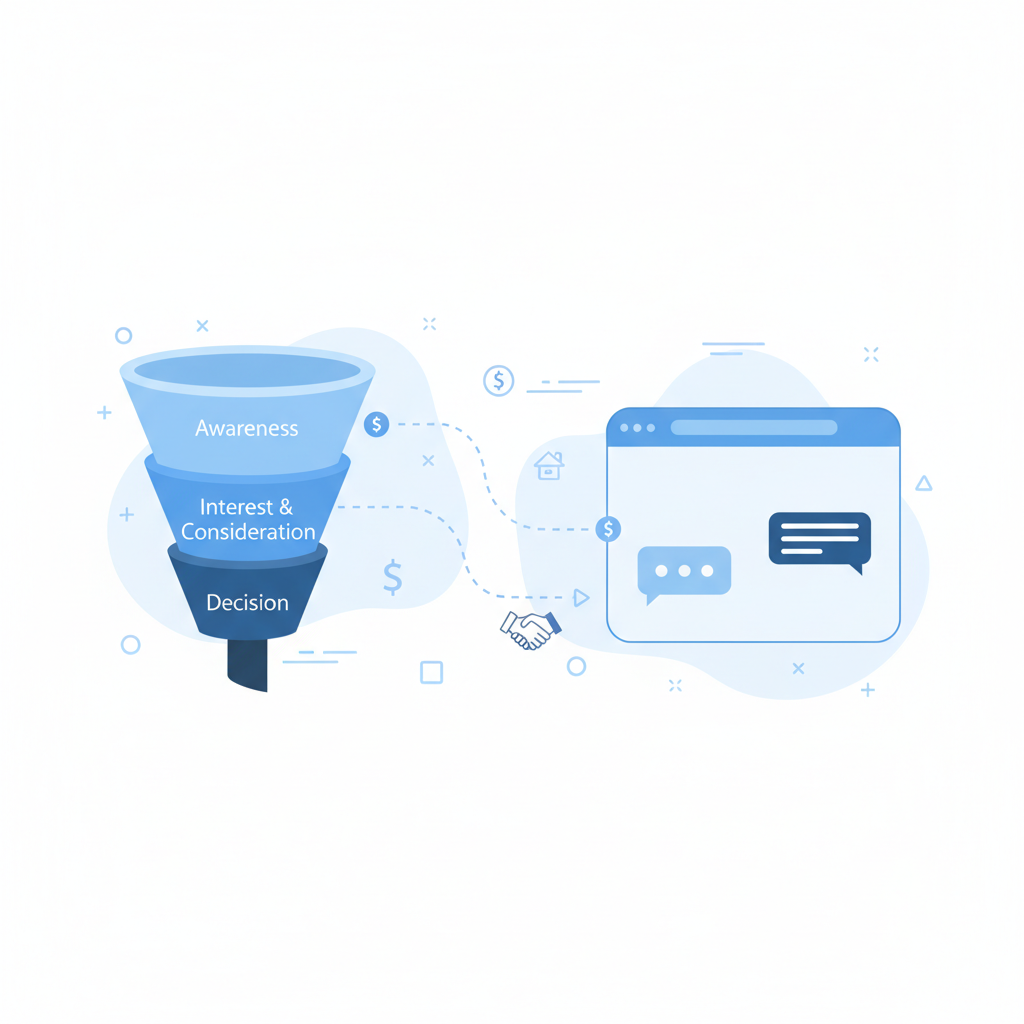
WhatsApp for B2B Sales Teams: A Practical Guide
How B2B sales teams use WhatsApp Business API for prospect follow-ups, proposal sharing, and pipeline visibility without losing control.
11 min read -
How to migrate from WhatsApp Business app to the API (complete guide)
Step-by-step guide to migrating from the free WhatsApp Business app to the API. What you keep, what changes, and how to prepare your team for the switch.
9 min read -
How to measure WhatsApp Business API ROI (framework + real numbers)
A practical framework for calculating WhatsApp Business API return on investment: costs, savings, revenue attribution, and benchmark data.
9 min read


Design this bot free — no code
Pick a template, customize it by answering questions, and test it in a live WhatsApp preview. No account, no card.

